1. Introduction to BMM#
BMM is NIST’s Beamline for Materials Measurement.
At the unix command line, do this to start the Bluesky user interface, bsui:
cd ~/.ipython/profile_goniometer
pixi run start
bsui is simply an IPython shell with some customizations specific to Bluesky. On top of that, there are a number of customizations specific to BMM.
In this user manual, there are chapters covering most of the chores one will need to do at the beamline, including:
moving motors
making motor scans
making reflectivity and pole figure scans
troubleshooting common problems
1.1. TL;DR#
- Open/close the shutter
shb.open()andshb.close(), see Shutters, Section 2.5.1- Sample alignment scans
Use the
RE(linescan())command, see Generic motor scans, Section 4.1- Cheatsheet
1.2. Essential links#
- NSLS-II:
- BMM’s page:
- Operations schedule:
- Beamtime schedule:
- NSLS Status:
- BMM at Github:
1.2.1. Slack and Data Access#
At the beginning of your experiment, you will be invited to the BMM
Slack workspace. There you can follow along with the progress of the
experiment in the #pass-123456-bmm channel, where 123456 will
be the proposal number of your experiment.
There is also a channel called #pass-123456 which is for use as a
discussion channel.
Throughout the course of the experiment, messages and figures will be automatically posted to that channel. This allows someone to keep track of progress and to keep an eye on data quality without being physically at the beamline.
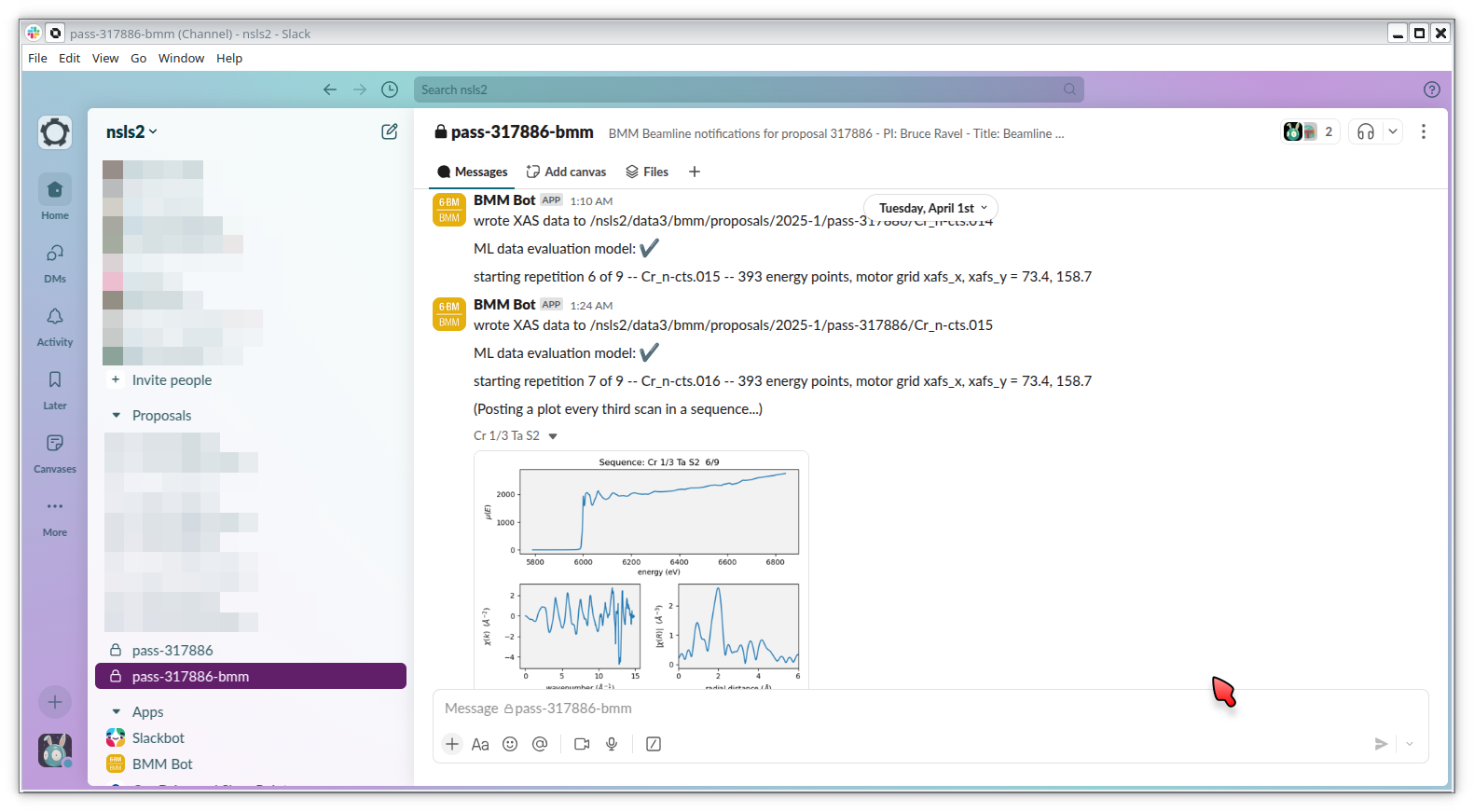
Fig. 1.1 An example of messages and a picture of measured data posted to the beamline Slack channel.#
1.3. BMM and Building 743#
BMM is on the south side of the NSLS-II building: what3words: ///width.corrugated.support
You should park at building 743 and enter through the main entrance of 743.
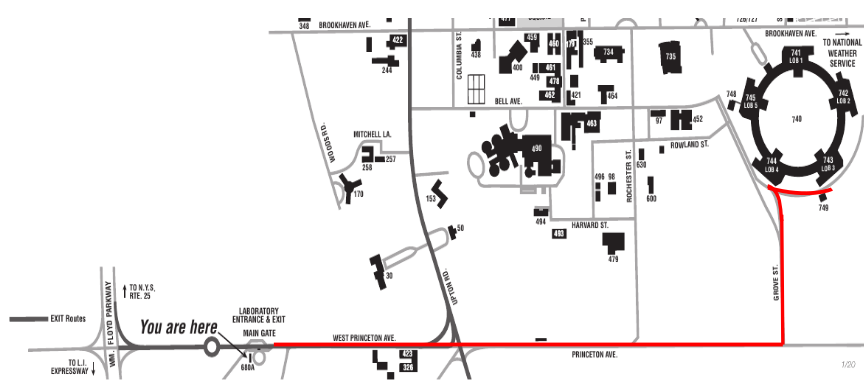
Fig. 1.2 Route from the Main Gate to Building 743#
Walk though the lobby to the doors that lead out onto the experimental floor. BMM is just across the walk way from the doors to the 743 lobby.
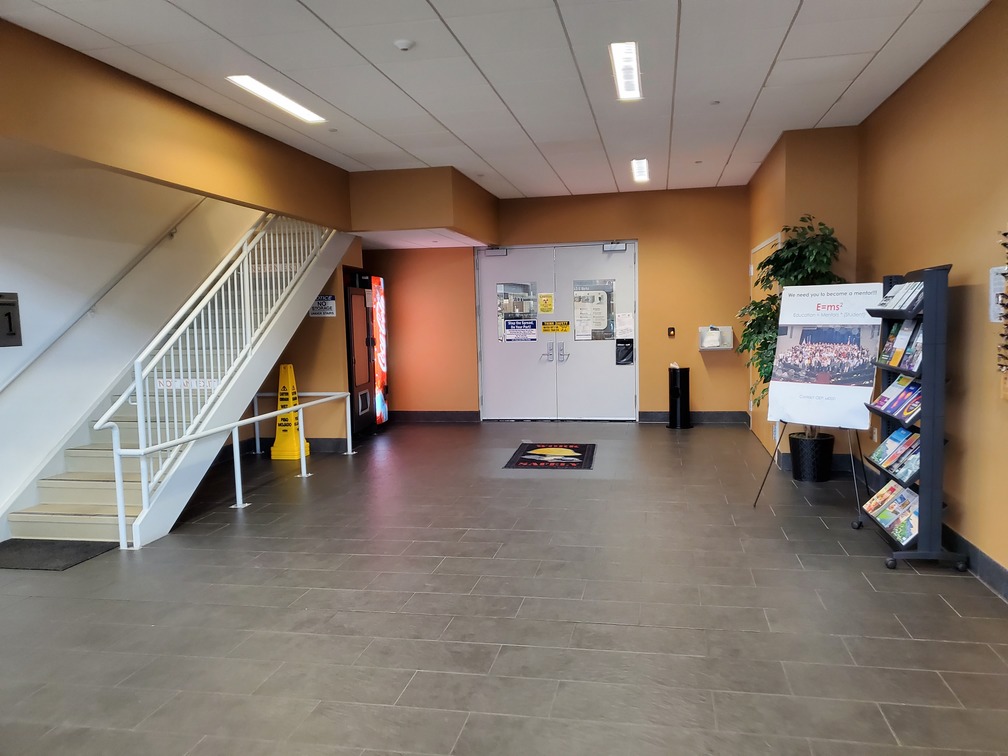
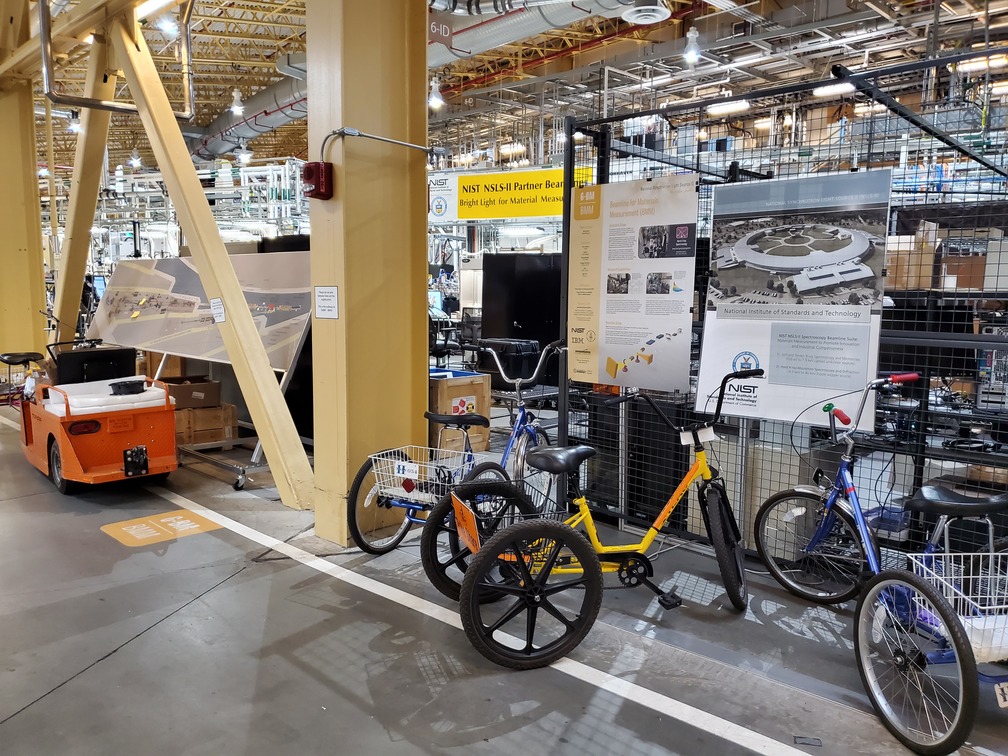
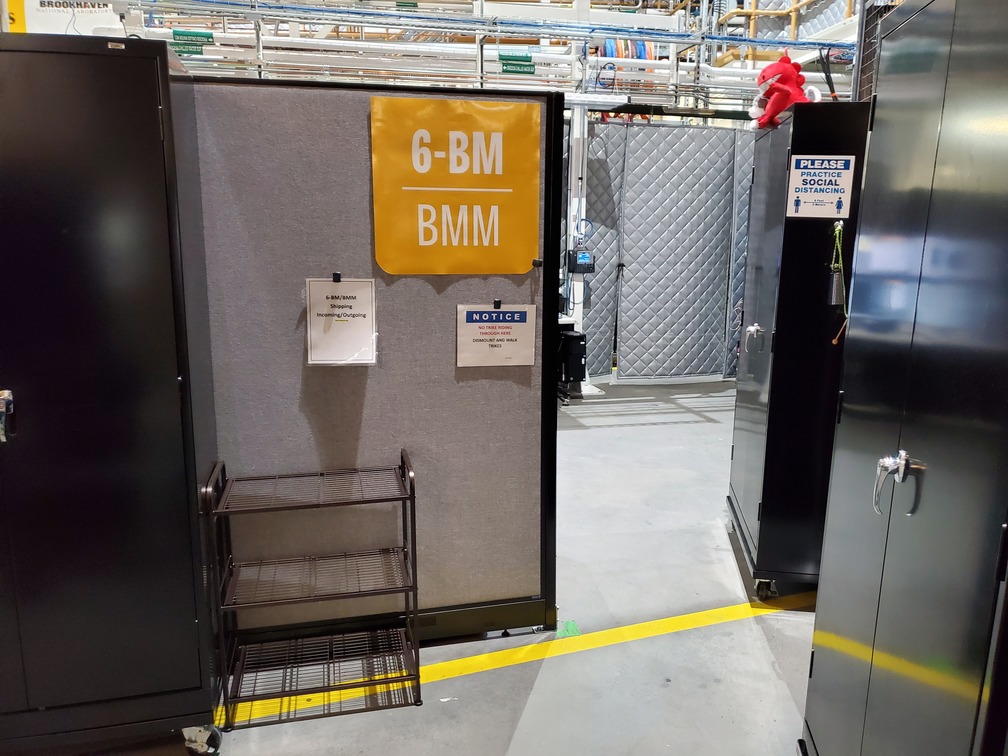
Fig. 1.3 (Left) Approaching the floor through the lobby of Building 743. (Center) BMM is just across the corridor from the door to the 743 lobby. (Right) Walk past the diagonal support beam and head into the BMM control station#
BMM’s staff have offices on the outer hallway of Building 743.
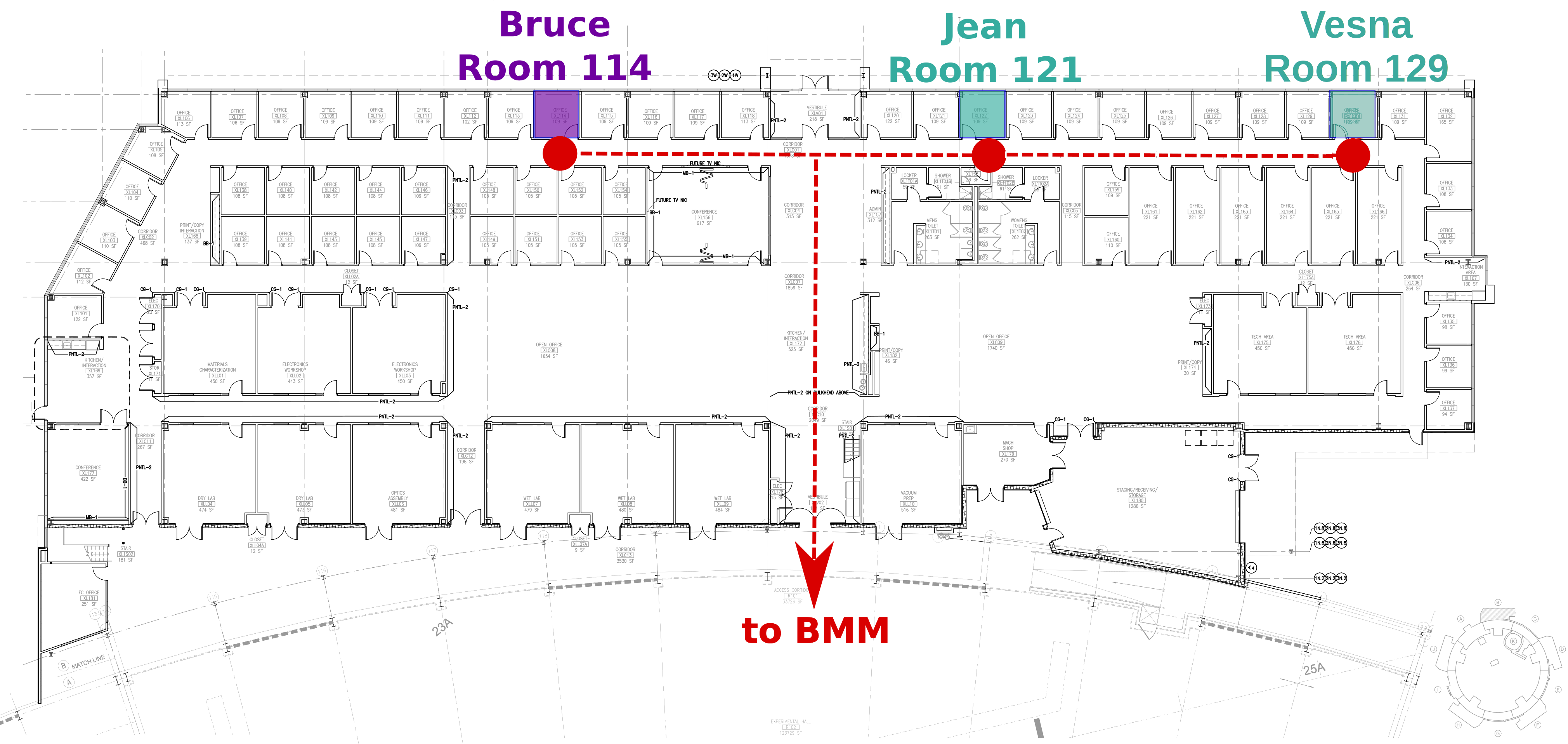
Fig. 1.4 Bruce’s, Jean’s and Vesna’s offices in Building 743#
1.4. Acknowledgements#
Pride of place goes to the late Jimmy Biancarosa and to Don Abel, the excellent technicians who helped build BMM and outfit it with kit that works. Truly nothing would have ever happened at BMM without them.
BMM’s Bluesky profile was mostly written by Bruce. But this would not have happened without the help of several members of NSLS-II’s DSSI program. In particular, I want to thank Dan Allan, Tom Caswell, Josh Lynch, Jakub Wlodek, Max Rakitin, Dmitri Gavrilov, Stuart Campbell, Abby Giles, Garrett Bishof, Nate Maytan, Matt Snyder, Oksana Ivashkevych, Ryan Jaskiel, AJ Sliger, John Sinsheimer, and Jun Ma.
Thanks to every BMM user – being a BMM user means being a beta tester for the beamline software!
Aside from the Bluesky ecosystem, BMM makes use of lots of great python tools. Matt Newville’s Larch is used to process every XAS scan that gets measured and Matt’s lmfit is used for many alignment chores.
This documentation project uses Sphinx and the lovely
{book}theme
from the The Executable Book Project. Appendices are numbered properly
using the appendix.py extension from
heig-tin-info/handout.
This manual uses a GitHub action to build and deploy (see details
here)
this document whenever a git push happens. We are grateful to the
UIBCDF
developers for this continuous deployment capability.
1.5. A note about copyright#
This document and the BlueSky data collection profile it covers was developed primarily by a NIST employee. Pursuant to title 17 United States Code Section 105, works of NIST employees are not subject to copyright protection in the United States. Thus this repository may not be licensed under the same terms as Bluesky itself or its documentation.
See the LICENSE file for details.